Metadrob
B2B
B2C
Dashboard
Analytics
Ecommerce
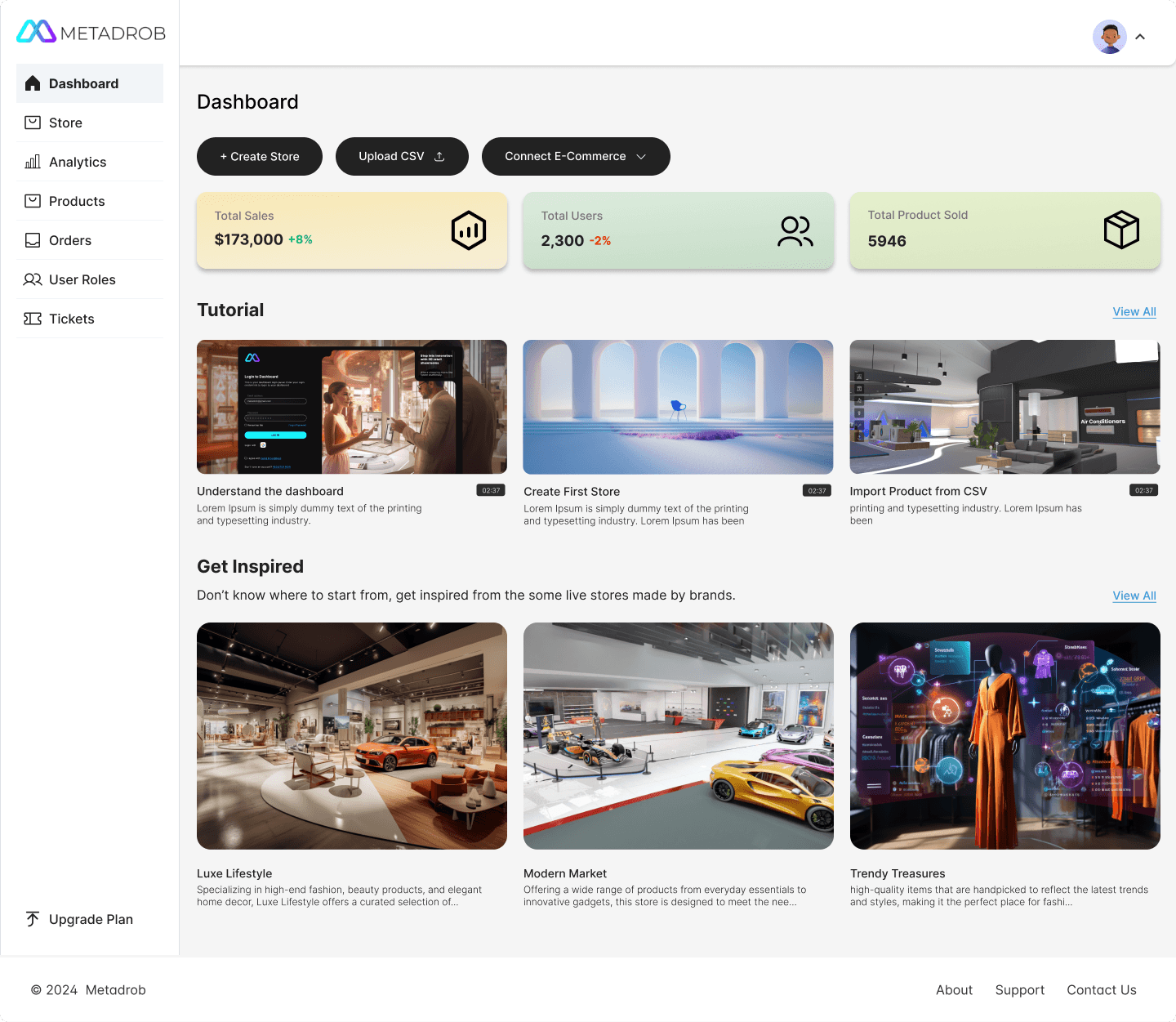
New Dashboard
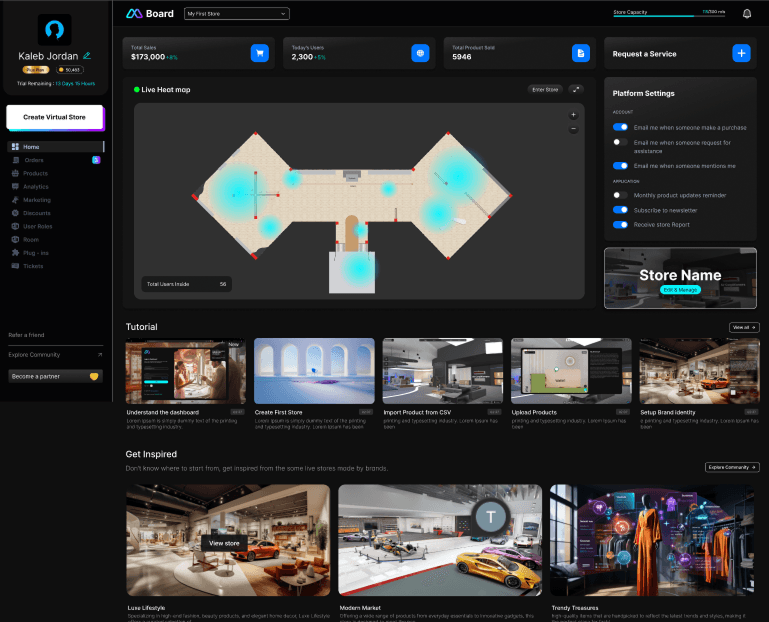
Old Dashboard
Challenge
The older dark-theme interface, while modern, lacked visual hierarchy and overwhelmed users with cluttered elements and limited contrast in key areas.
Multiple user journeys were interrupted due to inconsistent menu placement and unclear labeling. Users didn’t intuitively know where to start or how to return to specific sections.
Key Improvements
Clearer Layout: Logical grouping of content blocks (e.g. Tutorials, Get Inspired, Key Metrics)
Improved Visual Hierarchy: Emphasis on most-used actions (Create Store, Upload CSV, Connect E-Commerce)
Refined Navigation: Simplified left-side nav menu with distinct categories (Dashboard, Products, Orders, Analytics)
Tutorial Section: Educates new users with guided content and onboarding flows
Key Features in Analytics
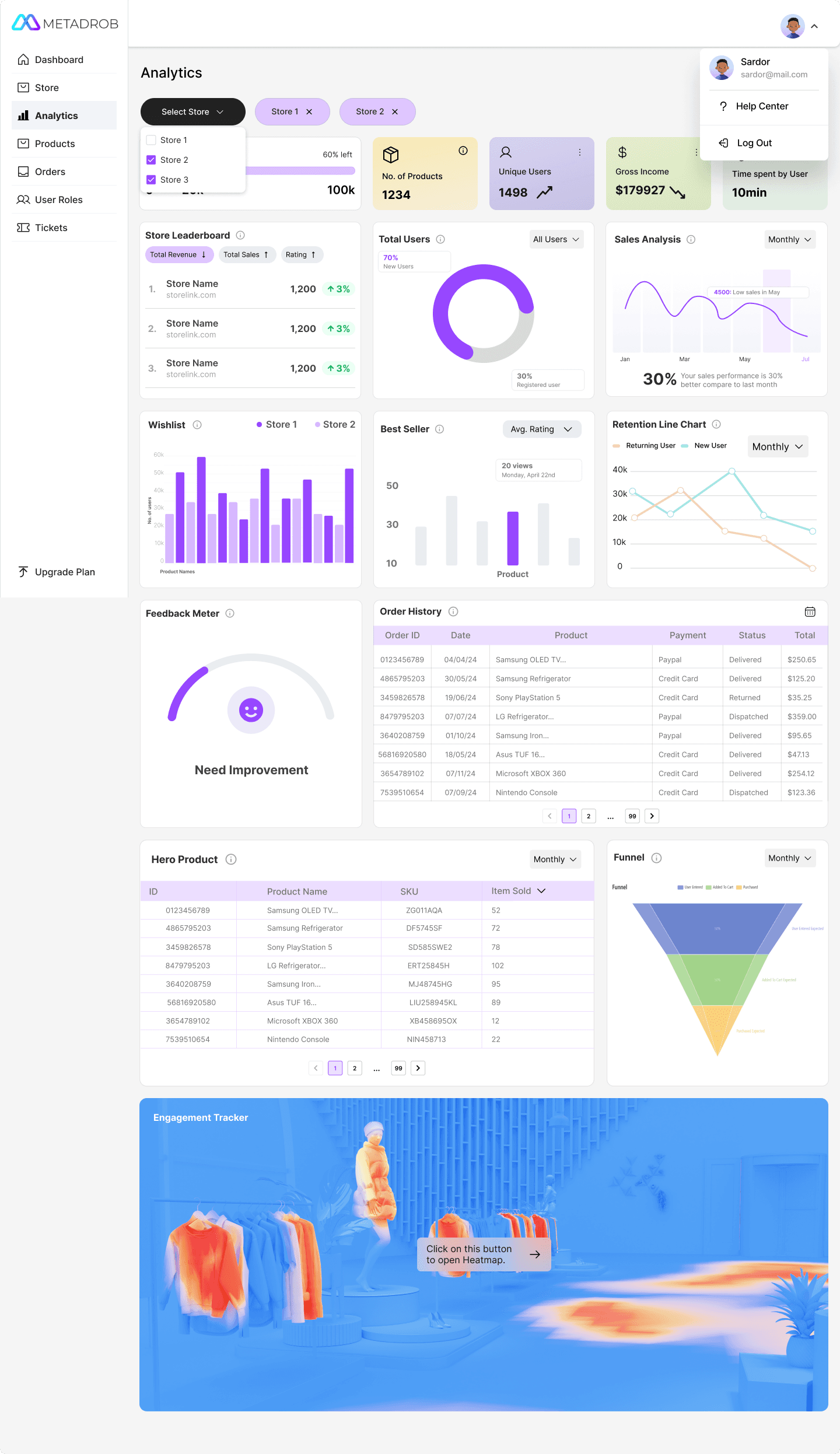
Multi-Store Toggle: Users can switch between stores via a dropdown, making comparison seamless.
Data Cards: High-level KPIs (Users, Products, Income, Time Spent) are shown as colored cards for quick recognition.
Engagement Tracker (Heatmap): A heatmap shows in-store visitor behavior—helping brands optimize product placements.
Modular Layout: Created a grid-based layout for modular components like Order History, Wishlist Trends, Feedback Meter, and Funnel analysis.
Key Features in Store Templates
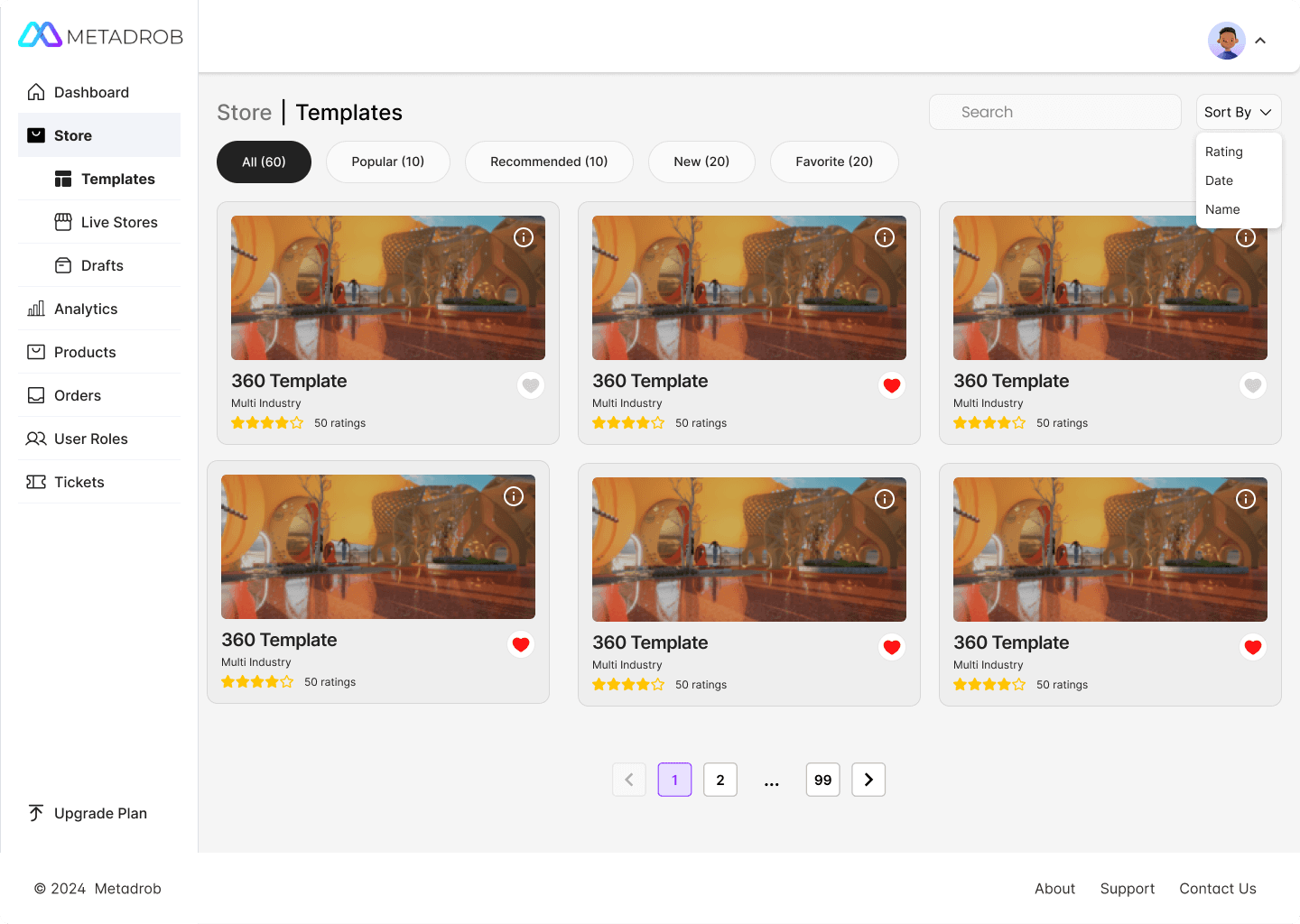
Categorized Filters: Users can now filter templates by popularity, recommendations, or recency, reducing time spent searching.
Sort Options: Added a “Sort By” feature to arrange templates by rating, date, or name—improving user control.
Visual Consistency: Template cards are unified in style with preview thumbnails, rating stars, and interaction icons (like/favorite).
Pagination Controls: Clearly designed page navigation enables quick browsing through large numbers of templates.